The Daggerheart GM's Campaign Organizer: A Notion Template Built for Running the Game
A Notion template built around how a Daggerheart GM actually runs the game — NPCs, factions, locations, quest threads, session prep, and the adversary roster all wired together in one workspace.
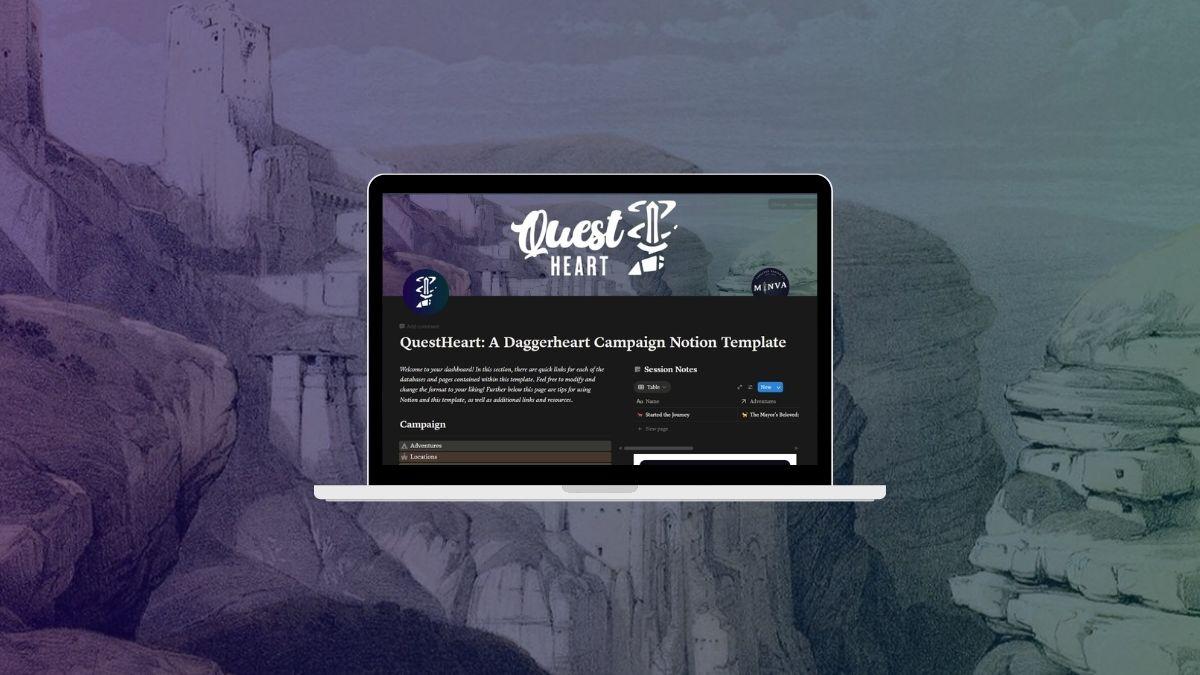
Running a Daggerheart campaign means juggling a lot of moving parts — the NPCs your players have met, the factions in motion, the locations they've visited, the quest threads still open, what happened last session, and which adversaries belong in next session's scene. Most groups end up with this spread across a Google Doc, a notes app, a Discord channel, and a stack of loose papers.
The blank-page problem isn't a lack of ideas — it's a lack of structure. A good campaign organizer gives every piece of your campaign somewhere to live, so prep stops being “where did I write that down” and starts being “what happens next.”
This post covers QuestHeart: a Notion template built for the actual GM workflow — session prep, NPC tracking, location and faction management, quest threads, the SRD adversary roster, and session notes — all in one Notion workspace with every database wired together.
What a Daggerheart GM Actually Needs to Organize
Before talking about the template, it helps to name the moving parts a Daggerheart GM is keeping track of between and during sessions. A campaign organizer needs to hold:
- NPCs — names, motives, last appearance, who they're connected to. Especially important when a one-off NPC becomes important three sessions later.
- Factions — goals, reputation, who's allied with whom, ongoing conflicts. The stuff that exists whether the party engages with it or not.
- Locations — settlements, ruins, wild places, and the quests or factions tied to each.
- Quests and adventures — what's active, what's waiting for a trigger, what's resolved, and what unlocks once a thread completes.
- Sessions — what happened, who was there, what changed. The “wait, what did we learn about the cult last time” problem.
- Adversaries — the full Daggerheart SRD roster with motives, difficulty, and stat blocks so you aren't flipping the rulebook mid-session.
- Player characters — party-side context the GM needs at hand: who each character is, what they've been through, what they care about.
Hope, Fear, Stress, Armor Slots, Thresholds, countdowns — those system mechanics matter, and the template tracks them where it counts (more on that below). But the GM's daily job isn't bookkeeping the dice mechanics. It's remembering who the party met, where they went, what they want, and what happens next. That's what the template is organized around.

Why Generic Notion Templates Fall Apart
Most generic campaign Notion templates start with a single “Campaign” page and a couple of disconnected databases. They look organized in the preview, but the moment a real campaign starts moving they break in three ways.
Nothing links to anything else. The NPC database doesn't know which faction the character belongs to. The faction database doesn't know which quests it's involved in. So you're duplicating information across pages and searching by hand to remember which villain leads which group.
The session log is just a doc. Without structure, “what happened last session” becomes a wall of text. By session 5 nobody can find anything. By session 12 you stop logging.
The adversary roster is missing. You're flipping back to the rulebook every encounter, copying stat blocks into a notes field. After a few sessions most groups give up on the template or spend a weekend rebuilding it.
A campaign organizer that's built for a GM's actual workflow looks different: every piece of information has a home, every database links to the related ones, and the things you need at the table are already in the workspace before you sit down.
QuestHeart — A Daggerheart GM's Campaign Organizer
The QuestHeart Daggerheart Notion Template is built around the GM's real-world workflow — prep, run, debrief — rather than around a checklist of rulebook mechanics. Every database links to the related ones. NPCs know which faction they belong to and which quests they're part of. Locations show the quests anchored there. Sessions reference the adventure they covered and the characters who were present. All 130 Daggerheart SRD adversaries are pre-loaded, with motives, difficulty, and stat blocks. The template handles Daggerheart's system fields (Stress, Armor Slots, Thresholds, Hope, Fear, countdowns) where they belong — on character sheets and adversary blocks, not as the front door of the workspace.
Setup takes minutes. Duplicate the template into your Notion workspace, fill in your party, world, and starting adventure, and you're running. It works on Notion's free plan. No extra software, no subscriptions.

What's Inside the Template
Each database in QuestHeart links to the others. A quest links to its location, an adventure links to its NPCs, a session links to the adventure it covered.
Player characters
Traits, Hope and Stress tracking, Armor Slots, Thresholds, domain cards, and inventory. Each character entry connects to the rest of the campaign. New domain cards live in the database and show up wherever they're referenced.
NPCs and adversaries
NPC entries store motives, difficulty ratings, and links to the adversary stat block to use in combat. The adversary database is the full Daggerheart SRD roster — 130 entries pre-populated.

Locations and factions
Settlements, ruins, and wild places — each linked to the quests and factions connected to them. Faction entries hold goals, reputation, and links to other factions and adventures.
Adventures, quests, and session notes
Adventures and quests have prerequisite chains and full NPC, location, and faction connections. When you finish an adventure, the quests it unlocks are already wired up. Session notes link to the characters present and the adventure that session covered.

Countdown tracker
Built for Daggerheart's countdowns — chases, political clocks, investigations. The tracker lives in the same workspace as the rest of the campaign instead of on a sticky note.
Treasure, domain cards, and inspiration board
Treasure and domain cards are tied to the characters who have them. The inspiration board is a visual reference for your world's tone — images, palettes, and atmosphere collected in one place.

Solo or Two-Player Daggerheart
Daggerheart works well as a 2-player TTRPG and is increasingly being run solo. QuestHeart scales down without modification: fewer player characters, fewer NPCs, same Hope, Fear, and countdown systems.
For solo play, the inspiration board and session log are more useful since there's no other player to help remember the campaign with you. For a wider view on worldbuilding workspaces, see our TTRPG worldbuilding tools post.
Coming From D&D 5e?
The main shift from 5e is pacing. D&D uses encounters and HP attrition. Daggerheart uses Hope, Fear, countdowns, and Thresholds.
A Daggerheart-native template helps because the database fields match the system — Stress and Armor Slots, not HP and AC. If you also run 5e and want a Notion template for that side, see our best Notion templates for D&D post.

The best Daggerheart tools are the ones built around how a GM actually runs the campaign — not around the mechanics page of the rulebook.
Frequently Asked Questions
What are the best Daggerheart tools for running a campaign?
The most useful tools handle the GM's daily organization problem — keeping NPCs, factions, locations, quest threads, session notes, and the SRD adversary roster in one connected workspace. A Daggerheart-native Notion template with every database already linked (rather than a generic campaign tool you have to retrofit) saves hours of prep and stops the “where did I write that down” problem before it starts.
Can I use a D&D Notion template for Daggerheart?
You can, but you'll spend setup time retrofitting it. The bigger issue is usually organization rather than mechanics — D&D-focused templates assume a specific prep style and don't ship with the Daggerheart SRD adversary roster or the system's fields on character sheets. A Daggerheart-native template comes with those wired in by default.
What is QuestHeart?
QuestHeart is a Daggerheart-native Notion template for GMs and players. It includes pre-built databases for player characters, NPCs, adversaries (all 130 SRD entries pre-loaded), locations, factions, adventures and quests, session notes, countdown trackers, treasure and domain cards, and an inspiration board.
Does QuestHeart work for solo or duo Daggerheart play?
Yes. Daggerheart works well as a 2-player or solo TTRPG and QuestHeart scales down without modification. The inspiration board and session log are particularly useful for solo play, where capturing what happened becomes more important without other players to remember alongside you.
Do I need a paid Notion plan to use QuestHeart?
No. QuestHeart works on Notion's free plan. After purchase you duplicate the template into your workspace and start using it. No extra software, no subscriptions, no extra accounts beyond a regular free Notion account.
More Daggerheart Resources
A few other things on the site that pair well with QuestHeart for a Daggerheart campaign:
- Daggerheart hub — landing page for everything Daggerheart-related on Minva
- Daggerheart cheat sheet bundle — printable player and GM quick-reference sheets, three pages each
- Backstory generator — character backstory prompts, system-agnostic, works for Daggerheart PCs
- Name generator — character and place names for any TTRPG
- Fantasy city name generator — settlements for the locations database
- Loot generator — random treasure and items
- Shop generator — random shop inventories for settlements
- Digital TTRPG resources — every digital tool we make, including PDFs and Notion templates
Daggerheart™ is a trademark of Darrington Press LLC. QuestHeart is produced by Minva Tabletop Design Co. and is not affiliated with, endorsed, or sponsored by Darrington Press LLC.
Skip building your Daggerheart Notion setup from scratch
QuestHeart is a Notion template built for Daggerheart — every database mapped to the game's stats and structure, ready to duplicate into your workspace in 60 seconds.