How to Use Notion as a D&D Campaign Planner
Notion is the best free tool for DnD campaign management — but building it from scratch takes hours. Here's how to set it up fast, and how to skip the setup entirely.
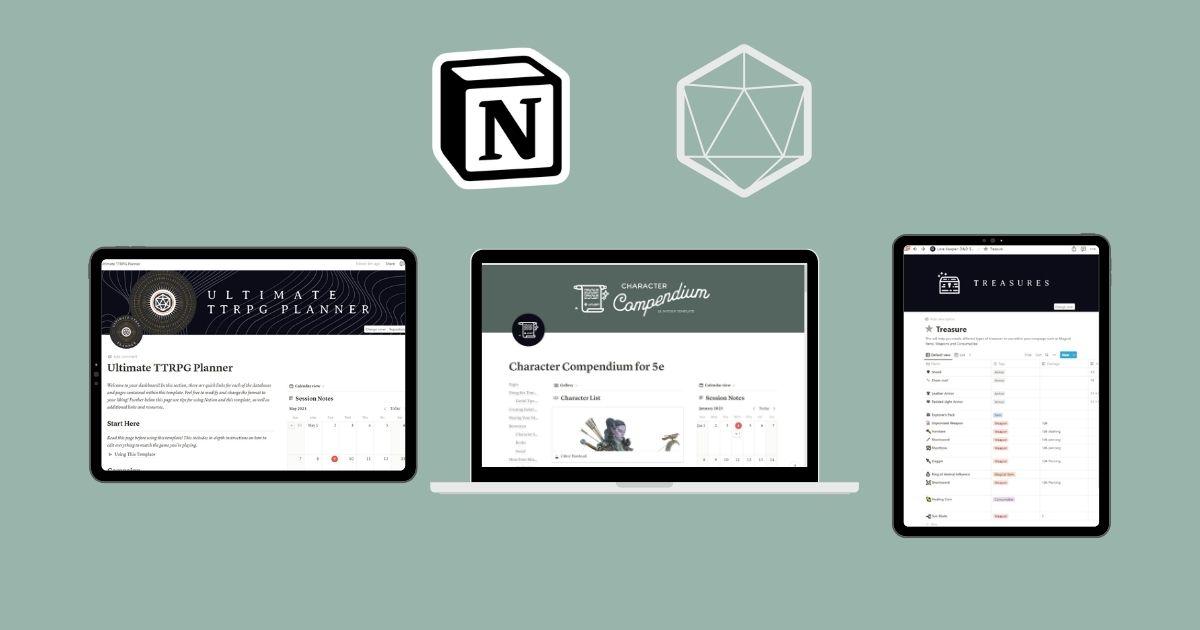
Most DMs have tried the scattered approach at least once — campaign notes in a Google Doc, NPC names in a Discord thread, loot tracked in a spreadsheet, session recaps buried in chat history. It works until it doesn't, usually around session 8 when someone asks what the innkeeper's name was and nobody can find it.
Notion fixes this. As a DnD campaign planner it's uniquely good because of one feature everything else lacks: linked databases. Your NPCs connect to their locations, their locations connect to your adventures, your adventures connect to your loot. Pull any thread and the whole campaign is right there.
This guide covers how to set up Notion for DnD campaign management from scratch — and then shows you how to skip most of that work with a pre-built template.
Why Notion Works So Well as a DnD Campaign Manager
Other tools DMs reach for — Google Docs, OneNote, Obsidian, even dedicated apps like World Anvil — all have the same problem: they're either too flat or too complex. Docs are great for writing but terrible for organizing. Obsidian is powerful but has a steep learning curve. Dedicated campaign apps are expensive and locked down.
Notion sits in the sweet spot:
- Relational databases — link any record to any other record. An NPC entry can show every adventure they appear in, every location they inhabit, every secret they hold.
- Multiple views of the same data — see your sessions as a calendar, your NPCs as a gallery, your loot as a filtered table. Same database, different lens.
- Works on every device — prep on your laptop, reference on your phone mid-session without switching apps.
- Free tier covers everything — unlimited pages and databases on the free plan. You don't need to pay for Notion to run a full campaign.
- Shareable with players — give your party access to a world wiki or character database while keeping your DM notes private.
How to Set Up Notion for DnD Campaign Management
If you want to build your own workspace from scratch, here's the structure that works. Plan for 8–15 hours of setup to do it properly.
Step 1: Create Your Core Databases
Start with five databases. These are the backbone of any DnD campaign planner in Notion:
- Adventures — one entry per adventure arc or dungeon. Fields: status, session range, connected locations, connected NPCs.
- Locations — towns, dungeons, regions. Fields: type, connected adventure, NPCs who live here, secrets, loot found.
- NPCs — every named character. Fields: faction, motivation, location, secret, connected adventure, alive/dead status.
- Sessions — one entry per session. Fields: date, summary, XP awarded, loot found, NPCs encountered, cliffhanger.
- Treasures — magic items, gold, valuables. Fields: rarity, who found it, which session, current holder.
Step 2: Link Everything with Relation Fields
This is where Notion becomes genuinely powerful. Add a Relation field to each database pointing to the others:
- Adventures → Locations (where does this adventure take place?)
- Adventures → NPCs (who is involved?)
- Locations → NPCs (who lives or works here?)
- Sessions → Adventures (which arc does this session advance?)
- Treasures → Sessions (when was this found?)
Once linked, clicking any NPC shows every adventure they're part of and every location they appear in. It sounds simple but it changes how you prep — instead of searching through notes, everything surfaces automatically.
Step 3: Build Your Session Notes Template
Inside your Sessions database, create a page template with a consistent structure:
- Strong start (what opens the session)
- Scenes planned (3–5 bullet points)
- NPCs appearing this session
- Secrets and clues to drop
- Loot available
- Post-session notes (what actually happened)
Apply this template to every new session entry and your prep becomes a consistent repeatable habit instead of a blank page every week.

Step 4: Add Worldbuilding Pages
Beyond the five core databases, add pages for the broader world:
- Factions — goals, key members, relationship to the party
- Deities & Religion — pantheon, domains, clergy NPCs
- World History — timeline, major events, hooks
- House Rules — your table's specific rules, easily shareable with players
Link factions back to your NPCs database (which NPCs belong to which faction?) and your worldbuilding becomes a living reference rather than a document nobody reads.
Step 5: Create a Dashboard
Build a single dashboard page that surfaces what you need most during prep:
- Linked views of your most recent sessions
- Active NPCs filtered to the current adventure
- Quick links to each database
- A “next session” planning block
The dashboard is your mission control. Open it before every prep session and you always know where to start.
Free Wondrous Hooks PDF + 10% off your first order
12 ready-to-run quest hooks (Fantasy & Fable Vol. 1), plus SUBSCRIBER10 and new tools — a couple of times a month, never spam.
The Mistakes Most DMs Make When Building in Notion
After all that setup, most DMs hit the same walls:
- Building before playing — spending 10 hours on the perfect workspace before session one, then changing everything once you see how you actually use it.
- Skipping the relations — creating flat databases with no links, which is just a prettier Google Doc.
- Overcomplicating the schema — adding 20 properties per database and never filling them in. Start with 5–7 fields max.
- No session template — winging the structure every week instead of using a repeatable format.
The honest answer is that building a good DnD Notion workspace takes iteration. Your first version will be wrong in at least two ways. That's fine — but it means the “build from scratch” path has a hidden cost of several sessions' worth of restructuring.
Skip the Setup: Use the Lorekeeper Notion Template
If the above sounds like exactly what you want but you'd rather spend that 10+ hours actually running games, that's what the Lorekeeper 5e Notion template is for.
Lorekeeper is a complete DnD campaign planner for Notion — pre-built, pre-linked, and ready to use the moment you duplicate it into your workspace. Everything covered above is already done:
- Adventures, Locations, NPCs, Treasures, and Character Profiles — all linked
- Session notes template with the full prep structure built in
- Worldbuilding tools for settings, factions, towns, and secrets
- Random table generators for encounters, names, and loot
- Dashboard with quick-access links and DnD resource guides
- Full 5e SRD reference baked in
Setup takes under 5 minutes. Duplicate the template, add your campaign name, and start filling in your first adventure. No blank databases, no figuring out which fields to add, no rebuilding after session three.
Notion vs Other DnD Campaign Management Tools
DMs often compare Notion to dedicated campaign management apps. Here's how they stack up:
| Tool | Cost | Best for | Weakness |
|---|---|---|---|
| Notion + Lorekeeper | Free + $17.99 once | DMs who want full control and linked organization | Requires Notion familiarity |
| World Anvil | Free–$11/mo | Deep worldbuilding and published settings | Complex, expensive for full features |
| Obsidian | Free | DMs who want local files and a graph view | Steep learning curve, no mobile sync on free plan |
| Google Docs | Free | Simple notes and sharing | No linking, gets messy fast |
| Campfire | Free–$10/mo | Writers and worldbuilders | Not built for session-by-session DM workflow |
For most DMs running a long-term 5e campaign, Notion wins on flexibility, cost, and device availability. The one-time cost of a template removes the main barrier (setup time) entirely.
Frequently Asked Questions
Is Notion good for DnD campaign management?
Yes. Notion's linked databases make it ideal for DnD — NPCs connect to locations, locations connect to adventures, adventures connect to loot. Everything stays connected and searchable. The free tier handles everything most DMs need.
What databases do I need for a DnD Notion setup?
At minimum: Adventures, Locations, NPCs, and Session Notes. For a full system add Treasures, Character Profiles, Factions, and Worldbuilding pages — all linked with Notion Relation fields.
How long does it take to build a DnD Notion workspace from scratch?
A fully linked workspace typically takes 8–15 hours. Using a pre-built template like Lorekeeper reduces this to under 5 minutes.
Can I share my Notion campaign with my players?
Yes. Notion's sharing lets you give players access to specific pages or filtered views — they see the world wiki and their characters, not your DM notes.
Do I need a paid Notion plan for DnD campaign management?
No. The free Notion plan supports unlimited pages and databases. You only need a paid plan for unlimited file uploads or advanced permissions.
Start Your Campaign in Notion Today
Notion is the best free DnD campaign planner available — flexible enough to handle any campaign style, powerful enough to keep a 2-year campaign organized, and free to use from session one.
If you want to build it yourself, the framework above will get you there. If you want to skip straight to running your campaign, Lorekeeper has the whole system ready to go.
Also worth reading: The best Notion templates for DnD — covers all the Minva Notion templates including options for players and non-5e systems.
Want to go deeper on worldbuilding? DnD Worldbuilding Template: Build Your World in Notion →
Or if session prep is the priority: DnD Session Notes Template: How to Prep and Recap Every Session →
Ready to organize your campaign in Notion?
Get Lorekeeper — the complete Notion DnD campaign planner for 5e dungeon masters. Pre-built, pre-linked, ready in minutes.